

PayBridgeNP for Shopify lets Nepali merchants accept local digital wallet payments (eSewa, Khalti, Fonepay) on any Shopify store, on any Shopify plan.Documentation Index
Fetch the complete documentation index at: https://docs.paybridgenp.com/llms.txt
Use this file to discover all available pages before exploring further.
Who this is for
- You run a Shopify store with customers in Nepal
- You want to accept eSewa, Khalti, or Fonepay - the three wallets most Nepali customers actually use
- You already have (or can create) a PayBridgeNP account with a
sk_live_…orsk_test_…API key - Your prices are in NPR
What it looks like
The app is embedded directly inside your Shopify admin - same navigation, same theme, same keyboard shortcuts. Here’s the dashboard a merchant sees after installation: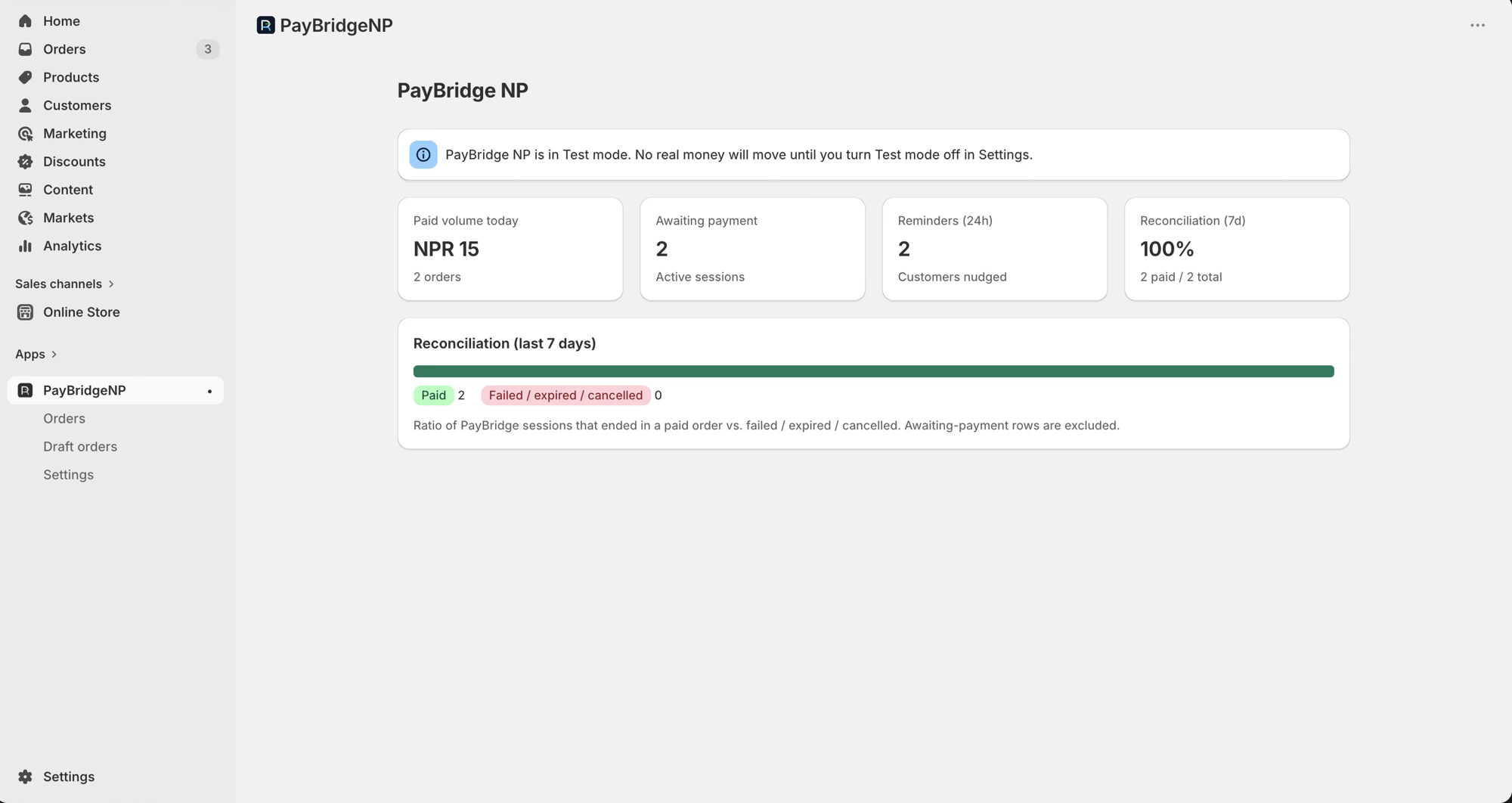
What you get
- Automatic reconciliation. When a customer completes a PayBridgeNP payment, the Shopify order flips to Paid within seconds - no manual order matching.
- SMS + email payment reminders. If a customer places an order but leaves before paying, they get a branded SMS and email until they pay or the order auto-cancels. Unpaid orders auto-cancel after the configured window with inventory restocked.
- Partial refund support. Refunds you process in the PayBridgeNP dashboard mirror onto the Shopify order automatically - the order flips to Partially refunded or Refunded depending on the amount.
- Draft order payment links. Build a draft order in Shopify admin, click Send payment link, and the customer gets an SMS + email with a checkout URL.
- GDPR-compliant. Built-in handlers for Shopify’s privacy webhooks so customer data is exported or redacted on request.
Where PayBridgeNP fits
Shopify owns the cart, shipping, discounts, taxes, and customer address. PayBridgeNP handles the payment step and updates the Shopify order once the customer has paid. Everything else on your store stays native Shopify - the same product pages, the same checkout flow, the same admin UI.What this integration does NOT do
Be aware of the following limitations before installing:- No refund-from-Shopify-admin. Shopify’s manual payment methods don’t support in-admin refunds. Refunds must be processed from the PayBridgeNP dashboard; the Shopify order is updated automatically afterwards.
- NPR only. If your store’s currency is not NPR, orders placed with the PayBridgeNP payment method will be skipped with an order note. Multi-currency support is on the roadmap.
- No subscriptions. One-off payments only. If you need recurring billing, use PayBridgeNP’s billing plans directly from your backend.
- No Shopify App Store listing (yet). Distribution is currently custom - you install via a direct link we publish on paybridgenp.com/integrations/shopify, not via the App Store. App Store submission is on the roadmap.
- No Nepali-3DS. None of the supported wallets use 3DS, so this isn’t actually a gap - just noting it for anyone migrating from a card processor.